Tickle Video Hub Guide
How to Buy Japanese Tickling Videos on Xcream
Xcream carries a large catalogue of independently produced Japanese tickling videos. This guide explains the Japanese registration and checkout screens for international buyers.
Registration usually takes only a few minutes. Payment availability still depends on the card and options displayed at checkout.
Why Xcream?
- Japanese independent releases — including studio, amateur, F/M, M/F, F/F, restraint, and foot-focused work
- Official samples — check the available preview before deciding
- Multiple formats — some listings offer different resolutions or bundles
- Overseas-issued cards — Xcream announced renewed support on June 30, 2026; confirm the available options at checkout
- Browser translation — modern browsers can translate the Japanese registration and product pages
- Email registration — follow the current fields shown on the registration screen
💡 Pro Tip: Use the Japanese Site with Browser Translation
While Xcream has an English site at en.xcream.net, we recommend using the Japanese site (www.xcream.net) with your browser's built-in translation feature. The Japanese catalogue is the reference used by this guide. Payment options can change, so rely on the methods displayed during checkout.
Chrome, Edge, and Safari include page-translation options. Translation wording may differ slightly from the screenshots below.
Part 1: Registration
Create your free account to start purchasing videos.
Visit Xcream & Translate the Page
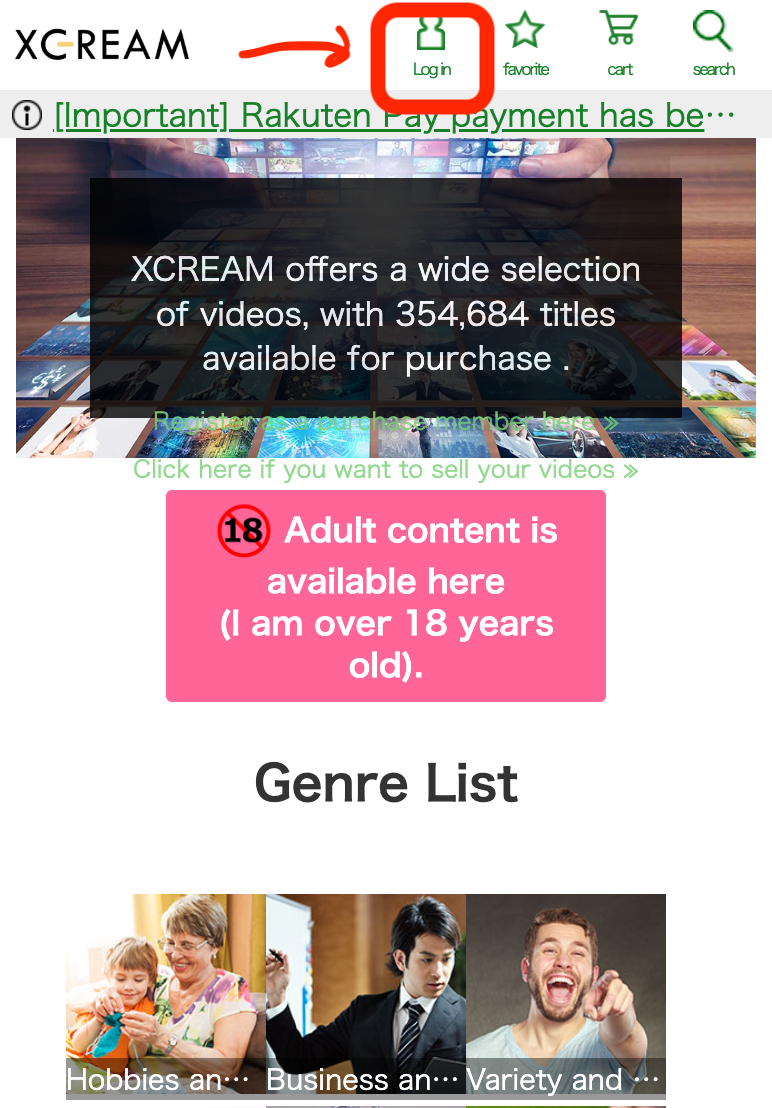
Go to www.xcream.net and use your browser's translation feature to translate the entire page from Japanese to English (or your preferred language). Then click the "Log in" button in the top navigation bar.
Go to the Registration Page
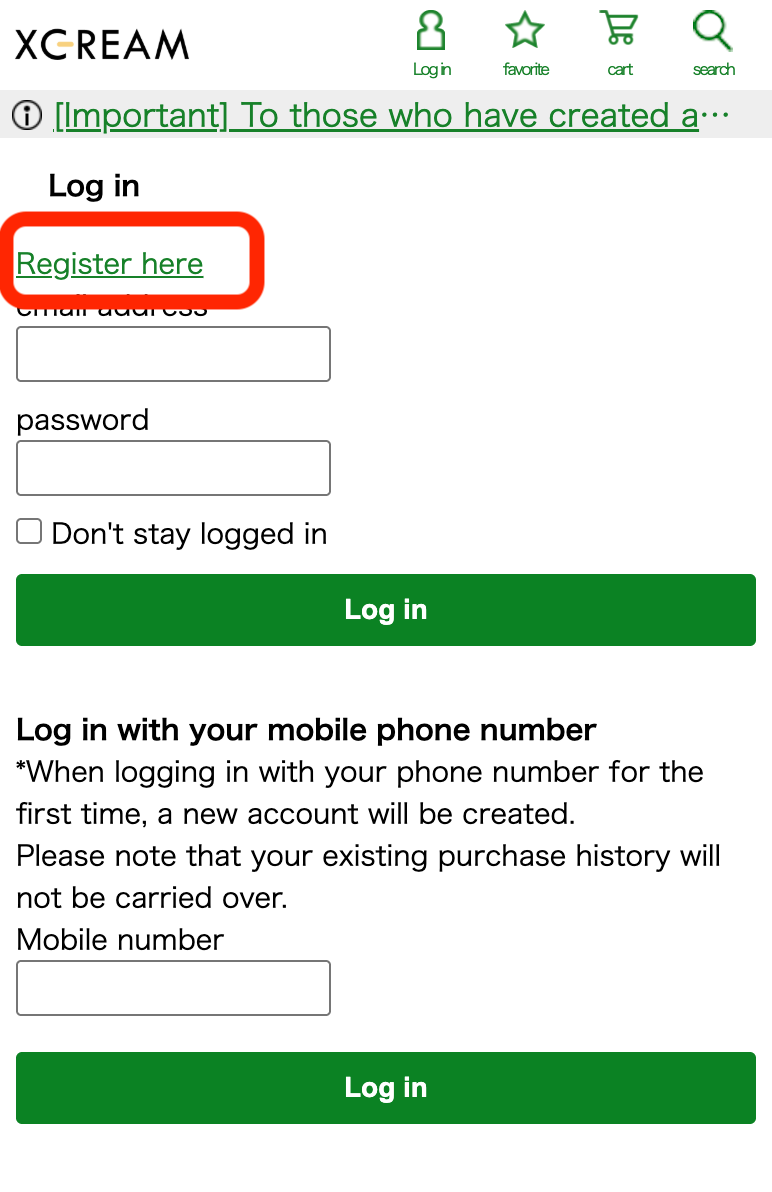
On the login page, click "Register here" to navigate to the free registration form.
Enter Your Email Address
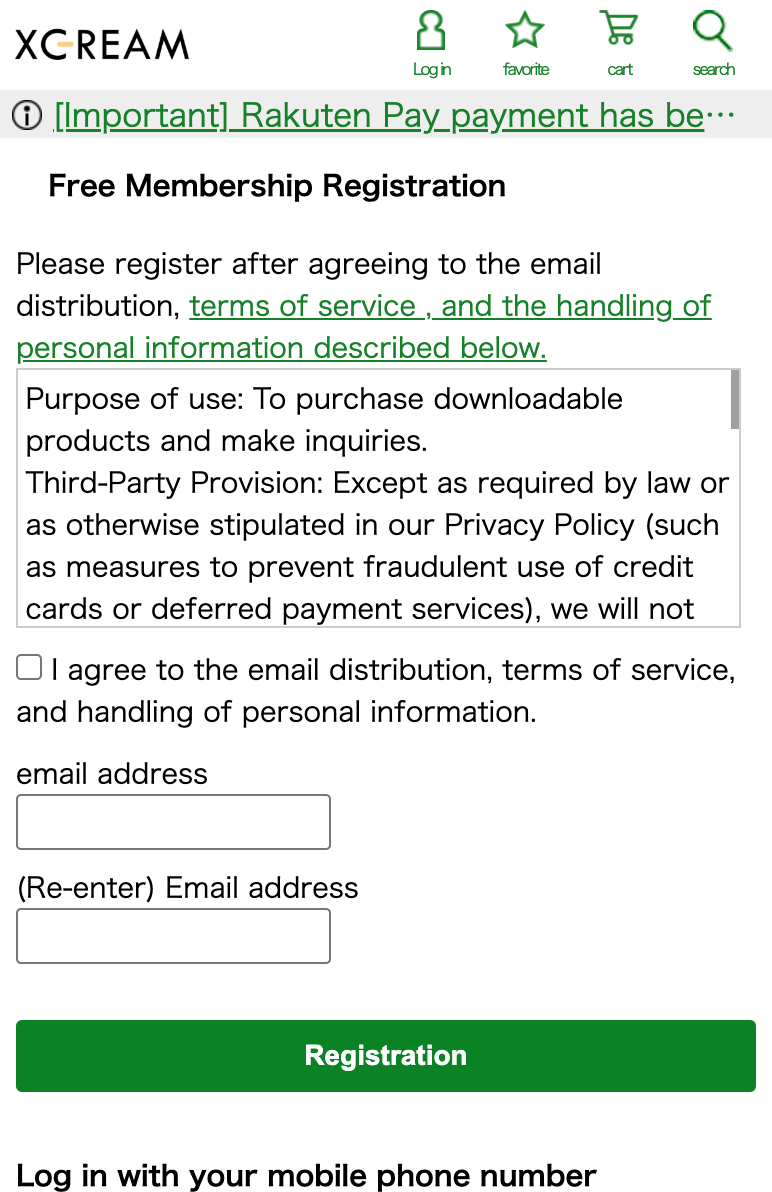
Enter your email address in both fields, review the current terms, and click "Registration". Complete any additional fields shown on the current form.
Check Your Email & Activate
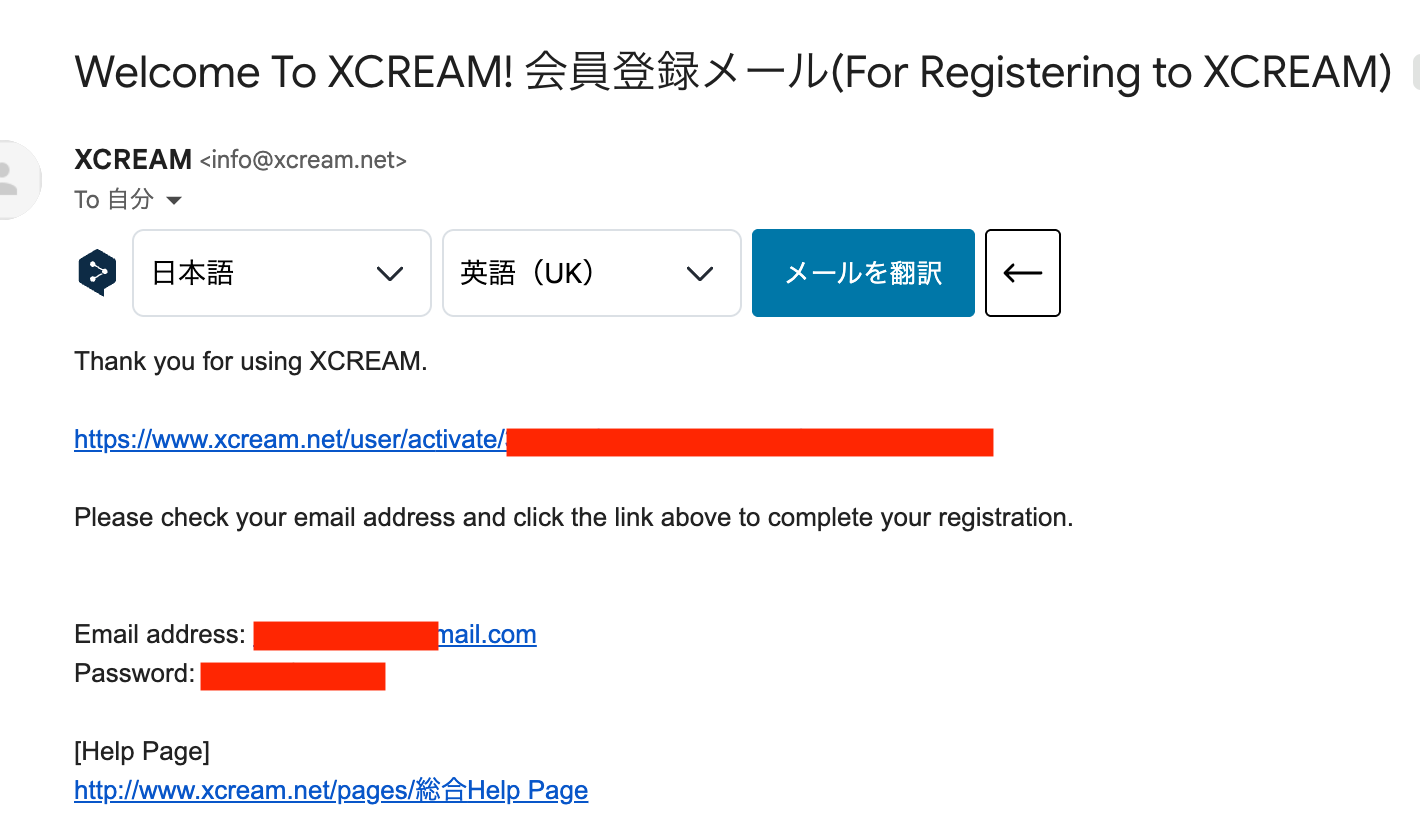
You'll receive a confirmation email from Xcream. Click the activation link to complete your registration. The email also contains your email address and password — make sure to save these!
🎉 Registration complete! You're ready to purchase videos.
Part 2: How to Purchase a Video
Keep using your browser's translation feature to navigate the site comfortably.
Browse Videos & Pass Age Verification
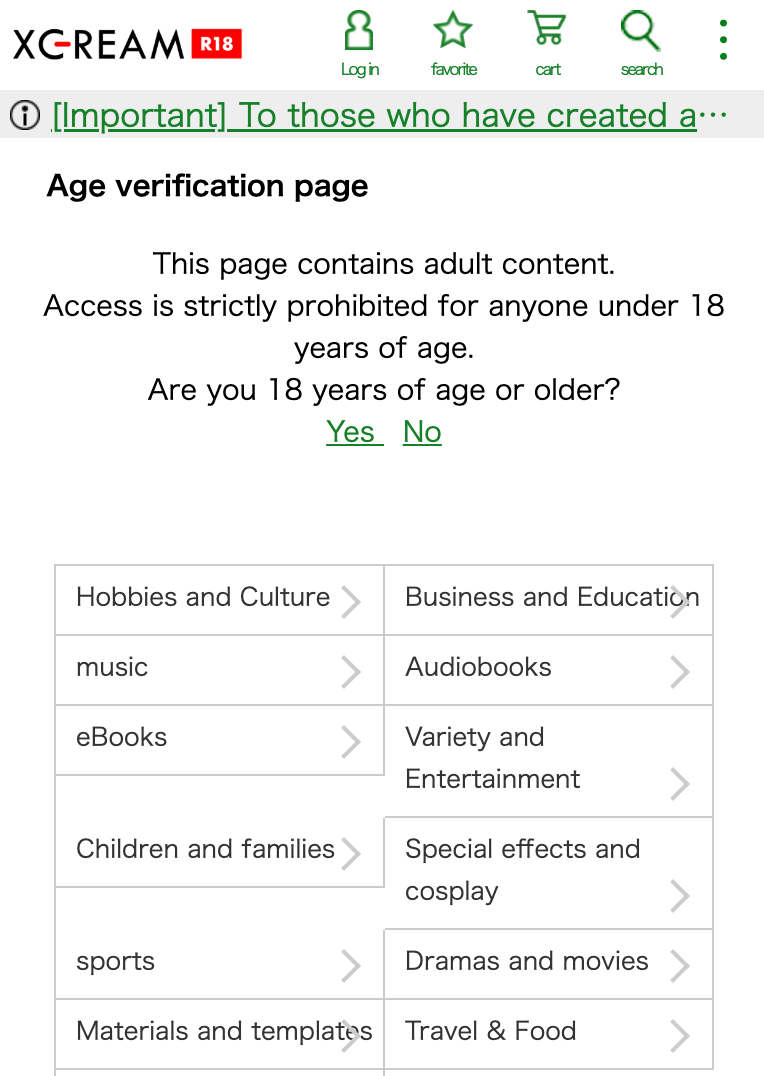
When you access adult content for the first time, you'll see an age verification page. If you are 18 years or older, select "Yes" to continue.
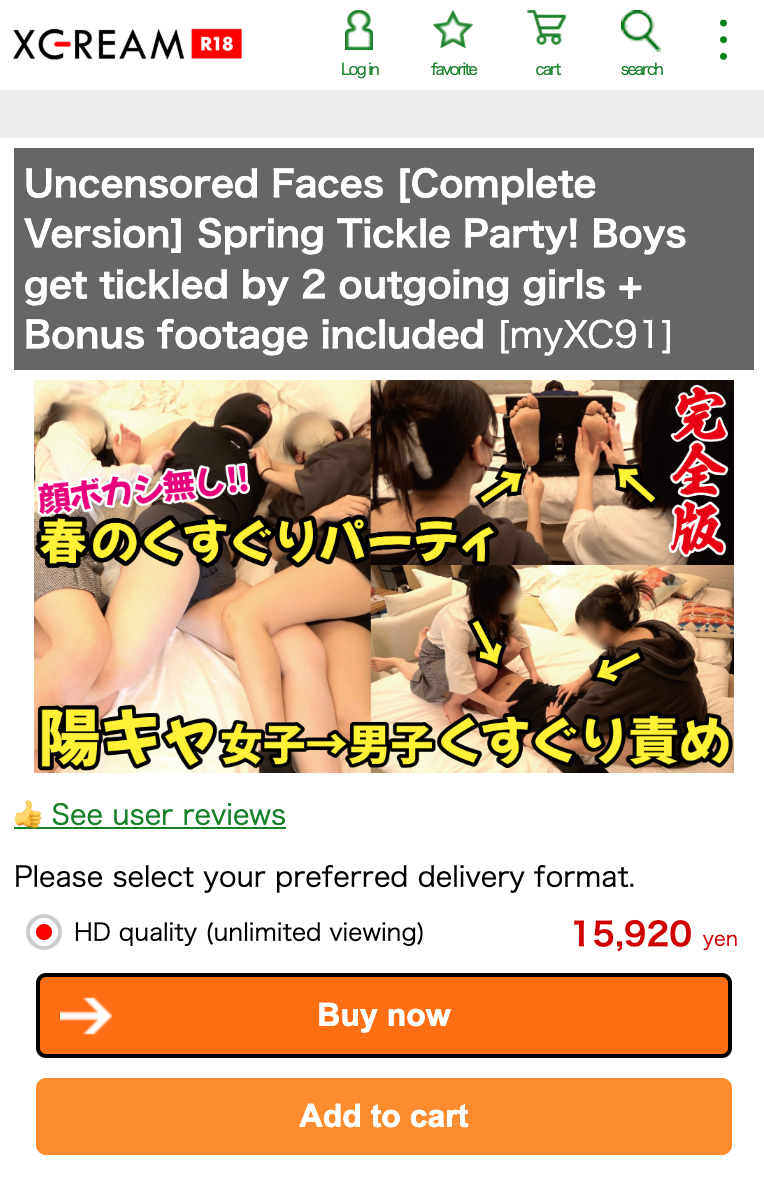
For example, this guide uses the following long-form title: Uncensored Faces [Complete Version] Spring Tickle Party! [myXC91]
Select Quality & Click "Buy Now"
On the product page, choose your preferred video quality (SD, HD, or UHD/4K) and click "Buy now" to proceed to checkout. You can also add it to your cart if you want to purchase multiple videos at once.
Pay with Your Credit Card
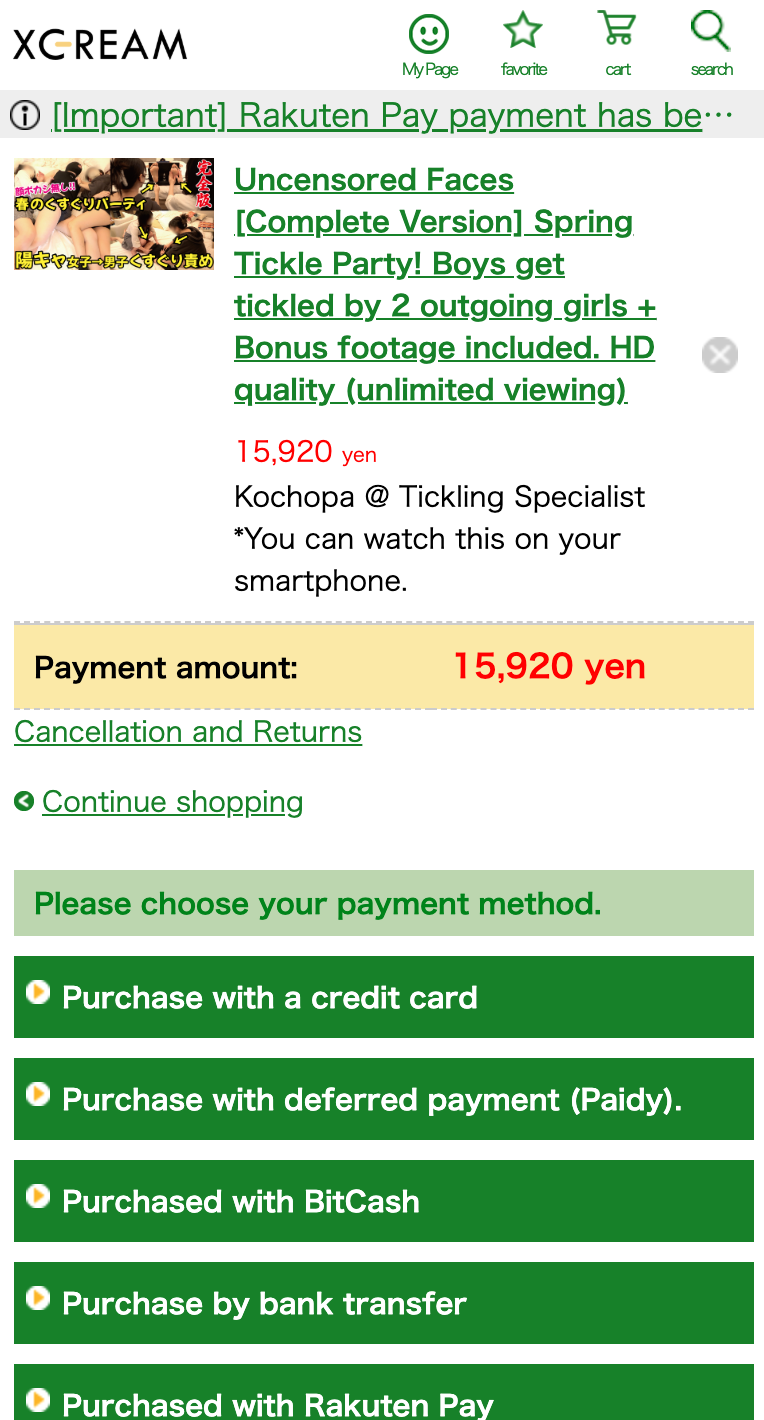
If a credit-card option is available, click "Purchase with a credit card" and enter your card details. Select one of the card methods currently displayed at checkout. Overseas-issued card support was restored in June 2026, but an individual card can still be declined by its issuer or payment processor.
Your bank may charge a small currency conversion fee since prices are in Japanese Yen (JPY).
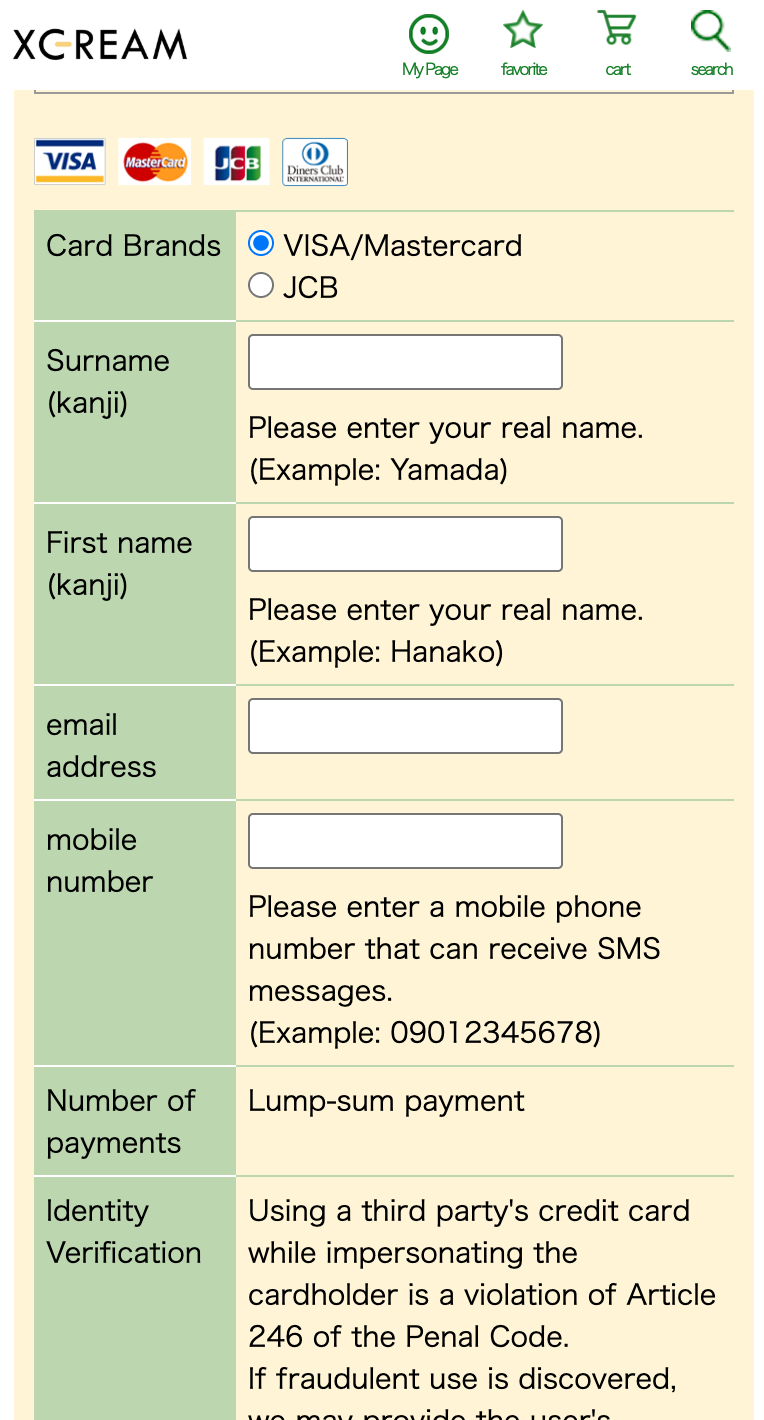
Tip: Follow the validation shown on the current payment form. If a field rejects your entry, contact Xcream or your card issuer rather than repeatedly submitting it.
🎉 Purchase Complete!
After payment is confirmed, follow the viewing or download instructions shown for that title. Playback options can vary by product, device, and DRM format.
Frequently Asked Questions
Why use the Japanese site instead of the English site?
This guide follows the Japanese site because its catalogue and checkout screens are the reference used in our screenshots.
Do I need a VPN?
Start with normal browser access. Availability can vary by country, local law, network, and payment provider.
Do I need a Japanese address or phone number?
Follow the current registration form. The screenshots in this guide show an email-based flow and may change after publication.
What payment methods are accepted?
Use one of the methods displayed at checkout. Xcream announced that overseas-issued credit cards became available again on June 30, 2026, but support for a specific card is not guaranteed.
How much do videos cost?
Prices vary by title, resolution, and bundle. Confirm the current yen price on the product page and the final amount at checkout.
Is Xcream safe and legitimate?
Xcream is operated by a named Japanese company and publishes its legal sales information. Read our independent Xcream trust guide, then use the official www.xcream.net domain and confirm the final price before submitting payment.
Ready to Get Started?
Browse the smaller English selection first, check the official sample, and then continue to Xcream if the title fits what you want.
Prices and payment methods can change. Confirm both on Xcream before purchase.
Our Reviews & Recommendations
Not sure what to buy first? Check out our curated reviews to find the perfect video:
This page contains affiliate links. We may earn a commission on purchases made through these links.